Tag: technology

  • Reimagining the Library Commons: A More Accessible, Future-Ready Computer Lab

    Reimagining the Library Commons: A More Accessible, Future-Ready Computer Lab

    A $50,000 Investment in Accessible Learning

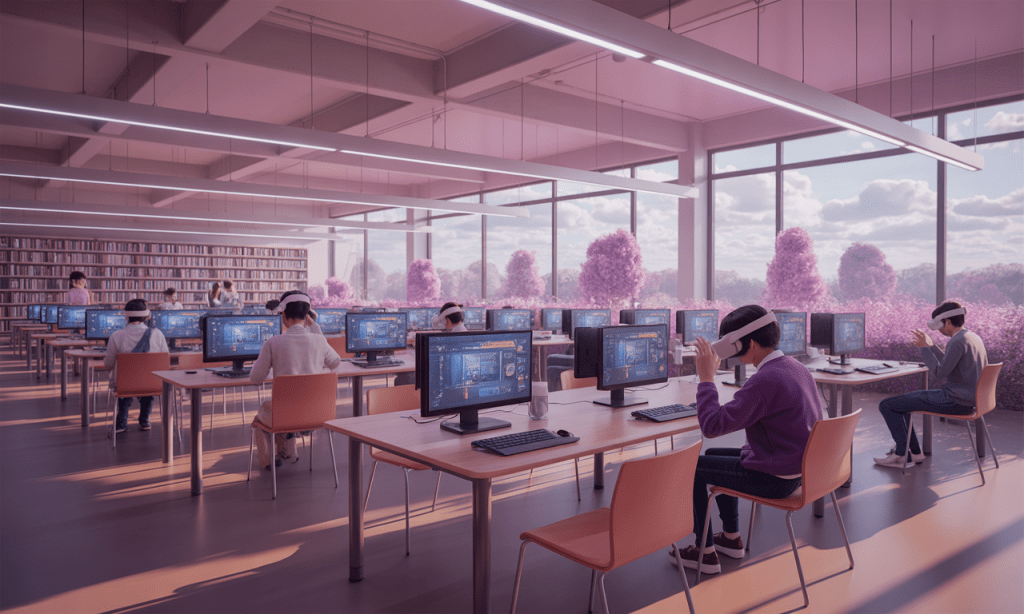
    I’m excited to share the updated design for our Library Commons Computer Lab, a space intentionally redesigned to support adult learners, expand digital literacy, and increase accessibility for all. This $50,000 proposal repositions the lab as a flexible, UDL-aligned learning hub equipped with updated computers, height-adjustable workstations, adaptive seating, and essential assistive technologies, including screen readers and a refreshable braille display. The design also includes a small-scale AR/VR pilot supported by recent research on immersive learning and student engagement.

    Building for Today’s Workforce

    This new model reflects the realities of today’s workforce. Adults need strong digital skills, confidence using emerging technologies, and accessible learning environments that honor their strengths and experiences. Guided by the Universal Design for Learning (CAST, 2018) and foundational adult learning theory (Knowles et al., 2015; Merriam & Baumgartner, 2020), this lab is built to offer choice, flexibility, and relevance.

    Evidence from AR/VR studies (Akgün & Atıcı, 2022; Chen et al., 2022; Stelter & Kim, 2023) further strengthens our decision to integrate immersive tools in a responsible, scalable way.
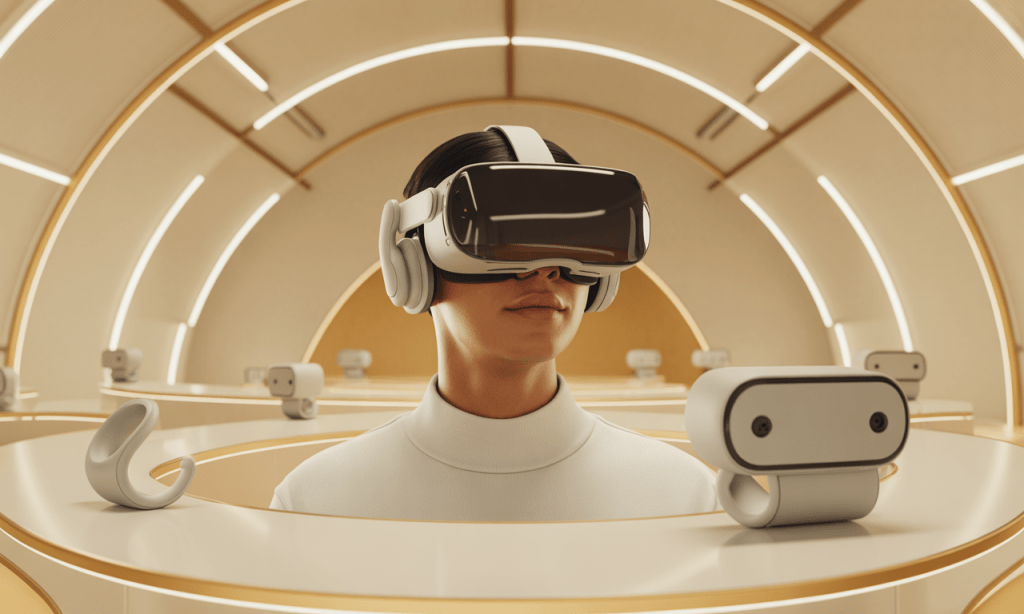
    I would love to collaborate with colleagues who are exploring digital literacy programs, emerging technologies, or strategies for engaging adult learners. Let’s connect, exchange ideas, and co-develop opportunities that truly empower our learners and communities.

    References

    Akgün, M., & Atıcı, B. (2022). The effects of immersive virtual reality environments on students’ academic achievement: A meta-analytical and meta-thematic study. Participatory Educational Research, 9(3), 111–131. https://doi.org/10.17275/per.22.57.9.3

    CAST. (2018). Universal design for learning guidelines version 2.2. http://udlguidelines.cast.org

    Chen, C.-C., Chen, H.-R., & Wang, T.-Y. (2022). Creative situated augmented reality learning for astronomy curricula. Educational Technology & Society, 25(2), 148–162. https://doi.org/10.1007/978-3-031-60458-4_16

    Knowles, M. S., Holton, E. F., & Swanson, R. A. (2015). The adult learner: The definitive classic in adult education and human resource development (8th ed.). Routledge.

    Merriam, S. B., & Baumgartner, L. M. (2020). Learning in adulthood: A comprehensive guide (4th ed.). Wiley.

    Stelter, A. K., & Kim, E. (2023). Looking through the virtual glasses: Exploring student experience with augmented reality in human anatomy courses. Journal of the California Dental Hygienists’ Association, 41(2), 12–19.

    World Economic Forum. (2020). The future of jobs report 2020. https://www.weforum.org/reports/the-future-of-jobs-report-2020

  • Everyday Words: An AR-Inspired Genially Case Study for Teacher Candidates

    Everyday Words: An AR-Inspired Genially Case Study for Teacher Candidates

    A practical learning object for preparing adult undergraduate teachers to design AR-supported vocabulary instruction

    Introduction & Purpose

    Adult literacy learners benefit from contextualized, scaffolded practice that connects words to everyday tasks. Everyday Words: An AR-Enhanced Literacy Adventure is an interactive Genially case study designed for adult undergraduate teacher-learners. Its purpose is twofold: (1) to demonstrate how augmented-reality–style supports can make vocabulary visible and usable in real life, and (2) to give teacher-candidates hands-on practice selecting, adapting, and evaluating instructional supports that scaffold functional reading in environments like the home and grocery store.

    Learning Objective

    By the end of this module, teacher-learners will be able to analyze and apply AR-supported vocabulary strategies to design literacy tasks that improve adult learners’ functional reading in authentic contexts (e.g., home, grocery store).

    Description of Content

    The Genially learning object is organized as a 10–12 minute, modular case study with six scenes:

    Landing Page

    Welcome, purpose statement, and navigation instructions.

    Meet the Learner

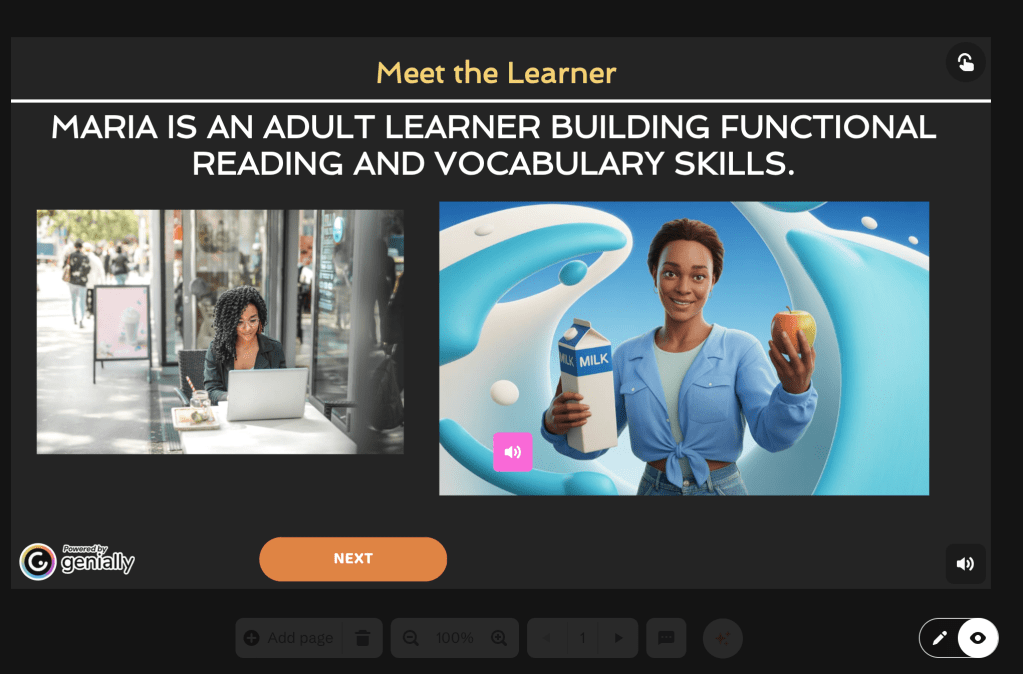
    Profile of “Maria,” an adult literacy learner; interactive hotspots simulate AR object scans (word + pronunciation + sample sentence) and include a short instructor audio note.

    Home Vocabulary Scan

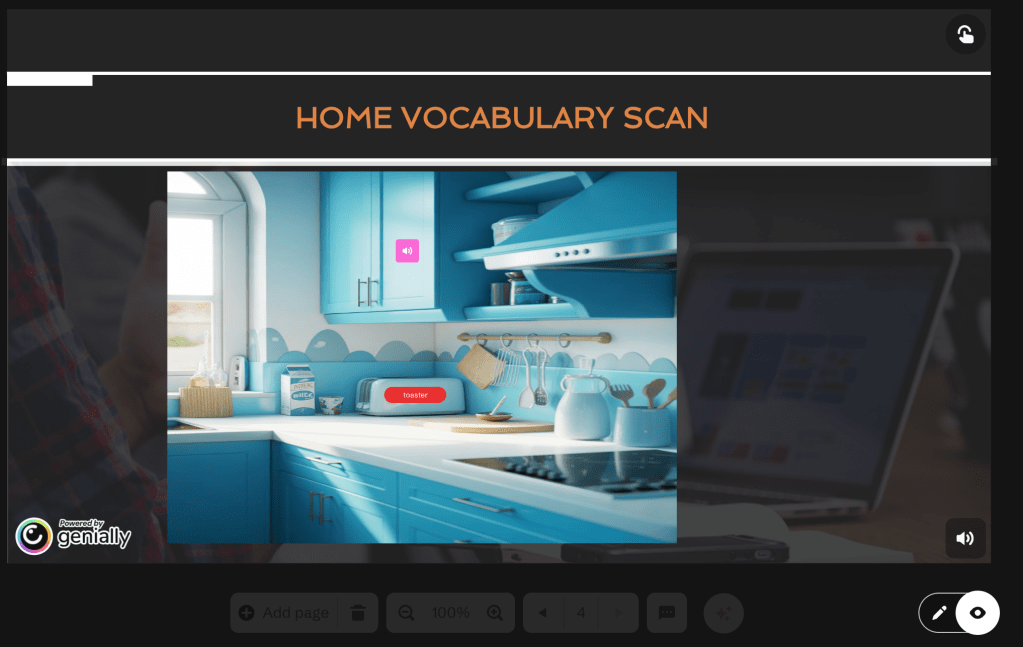
    Clickable household items reveal vocabulary pop-ups; learners type a simple sentence for each item and receive immediate feedback.

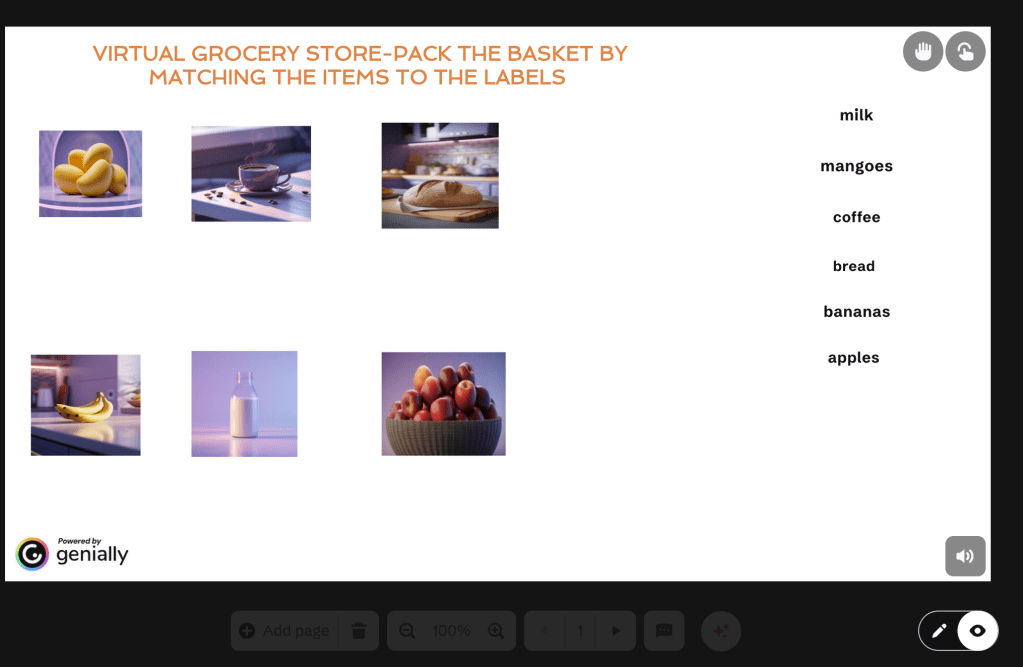
    Virtual Grocery Store (Branching)

    Reading Labels & Following Directions

    Microtasks: identify product name, sequence instructions (drag-and-drop), and select a help-seeking sentence. Scaffolded feedback follows each response.

    Pedagogical Decision & Reflection

    Teacher candidates choose instructional supports (e.g., QR-tag vocabulary labels, audio word lists), receive rationales and micro-teaching tips, and submit a short reflection.

    How the Learning Object Is Interactive, Accessible, Engaging, and Reusable

    Interactive

    The module uses hotspots, branching choices, drag-and-drop tasks, and typed responses to require active decision-making rather than passive consumption. Instant feedback and short model responses scaffold reflective practice.

    Accessible

    Every image includes alt text; some audio has transcripts, and layouts use high-contrast fonts and keyboard-friendly navigation, allowing users with limited connectivity or assistive technology to access the content.

    Engaging

    Authentic contexts (such as kitchens and grocery aisles), simulated AR “scans,” and choice-driven pathways increase relevance and learner autonomy, factors that support motivation in adult learners.

    Reusable

    Scenes are modular: vocabulary sets, scenario branches, and downloadable templates can be edited and repurposed for different course goals, learner levels, or community contexts. This modularity mirrors teacher-reported needs for adaptable learning objects (Santos et al., 2022).

    Research supports this blend of features: interactive multimedia and contextualized tasks increase comprehension and task transfer for diverse learners, while modular, reusable objects make classroom integration easier for instructors (Mallidis-Malessas et al., 2022; Santos et al., 2022).

    Design-Tool Selection & Considerations

    I selected Genially for this project after weighing three core criteria: (1) interactivity (branching and hotspots), (2) multimodal support (audio + text + drag-and-drop), and (3) ease of sharing/embedding across LMS platforms. Genially enables rich, non-linear learning experiences without coding, and it supports export/embed options that make the object straightforward to deploy in Canvas, Blackboard, or Google Sites. These affordances align with teacher preferences for flexible, easy-to-integrate learning objects (Santos et al., 2022) and with evidence that scaffolded digital tasks support comprehension (Mallidis-Malessas et al., 2022). Practical considerations also included accessibility options, analytics availability, and low learner device requirements (mobile + laptop friendly).

    Check out my Genially at the link below

    Link to Genially

    Conclusion & Invitation

    Everyday Words is a compact, pedagogically grounded learning object that teacher-candidates can use to practice designing AR-informed literacy supports without specialized hardware. I invite colleagues to preview the module (embed link above), adapt the vocabulary sets for local contexts, and share back any adaptations you develop.

    References

    Mallidis-Malessas, P., Iatraki, G., & Mikropoulos, T. A. (2022). Teaching physics to students with intellectual disabilities using digital learning objects. Journal of Special Education Technology, 37(4), 510–522. https://doi.org/10.1177/01626434211054441

    Santos, A. I., Costa, A. C., Botelho, A. Z., Parente, M. I., Cascalho, J., Freitas, D., Behr, A., Rodrigues, A., & Mendes, A. B. (2022). Learning objects in the educational context: The perspective of teachers in the Azores. Education Sciences, 12(5). https://doi.org/10.3390/educsci12050309

  • Integrating Virtual and Augmented Reality in the Library Commons Computer Lab.

    Integrating Virtual and Augmented Reality in the Library Commons Computer Lab.

    Learning Beyond Limits: How AR and VR Are Transforming Our Library Commons Lab

    Our original Library Commons Computer Lab Proposal envisioned a $59,923 transformation of the existing computer space into a flexible, future-ready learning hub designed for adult learners, higher-education students, and community members. The redesign focused on upgraded desktop stations, collaborative worktables, improved accessibility features, high-speed connectivity, and modular seating to support workshops, tutoring, hybrid learning, digital literacy, and workforce development. In short, the goal was to build an inclusive, modern environment where learners of all backgrounds could access the technology and support needed for academic and career success.

    Now, we are taking that vision a step further.

    Something remarkable is happening in our Library Commons Computer Lab. We’re not just adding new technology, we’re fundamentally reimagining what learning can look like when we move beyond traditional screens and textbooks. With the integration of Virtual and Augmented Reality (VR/AR) tools, including Meta Quest 3 headsets, Merge Cubes, and CoSpaces Edu, our learners are stepping into experiences that were once impossible to access within our walls.

    Imagine a nursing student practicing patient care in a realistic hospital simulation or a budding engineer manipulating a machine component as if holding it in their hands. These aren’t futuristic fantasies; they’re becoming everyday realities in our space.

    Now imagine an adult learner in a literacy program using augmented reality to explore vocabulary by scanning objects in their environment, instantly seeing words, pronunciations, and sentence examples projected before them. Or picture an adult English language learner entering a virtual grocery store, practicing reading product labels, asking for help, and following written directions in real-time.

    Recent research validates what we’re witnessing firsthand: immersive learning environments significantly enhance academic achievement and learner engagement (Akgün & Atıcı, 2022). When students and adult learners can visualize abstract concepts through spatial understanding, walking around a DNA helix, exploring the interior of a human heart, or reading a story that comes alive through interactive 3D imagery, comprehension deepens in ways traditional methods cannot replicate (Stelter & Kim, 2023; Chen et al., 2022).

    What excites us most is how these technologies spark creativity and curiosity. In artistic, design, and literacy-rich environments, AR platforms are proving particularly transformative, encouraging learners to experiment, imagine, and interact with content in meaningful ways (Chen et al., 2022). We’re watching learners who once struggled with engagement become active participants in their own learning journeys.

    This isn’t just about keeping up with technology trends. By integrating AR and VR into our Library Commons, we are creating a truly inclusive innovation hub, a space where learning becomes tangible, accessible, and profoundly meaningful. Every learner, regardless of background or learning style, can now engage with complex ideas in ways that resonate personally.

    References:

    Akgun, O. E., & Atici, B. (2022). The effects of augmented reality and virtual reality on academic achievement and engagement. Educational Technology Research and Development.

    Chen, Y., et al. (2022). Augmented reality in creative learning: Fostering innovation and curiosity. Journal of Educational Innovation.

    Stelter, A., & Kim, J. (2023). Spatial learning and visualization through immersive technologies. Learning and Instruction.

  • Streamlining Course Development: Testing Productivity Tools for Teaching Efficiency

    Streamlining Course Development: Testing Productivity Tools for Teaching Efficiency

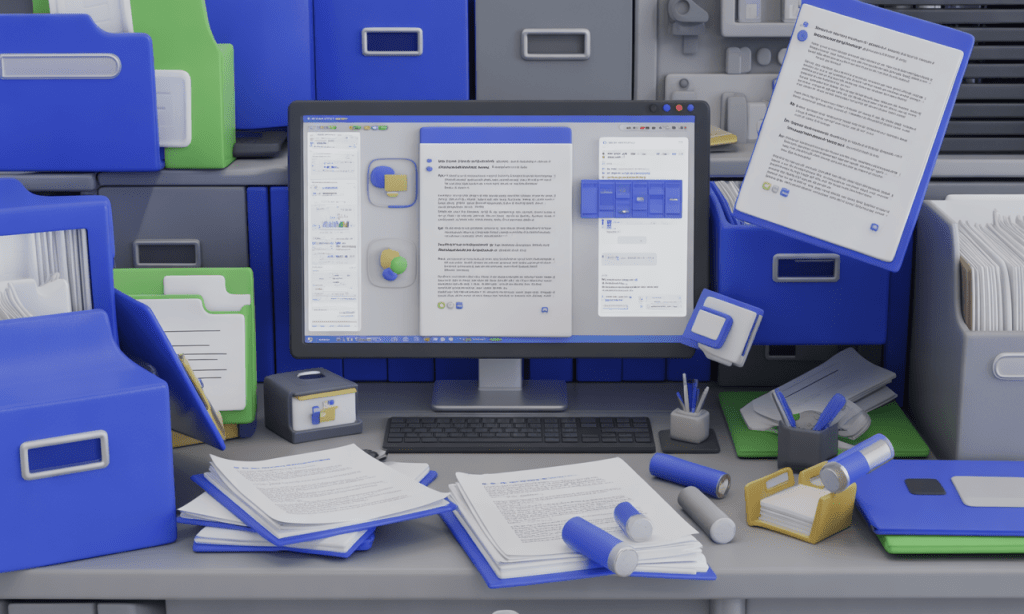
    As a part-time lecturer developing course content for adult learners, I often juggle multiple tasks, from sourcing learning materials to designing assessments and uploading resources to the Learning Management System (LMS). The goal is to create well-organized, accessible, and high-quality course content that supports student success. However, challenges such as time constraints, outdated materials, and inconsistent organization can make the process inefficient.

    To address these issues, I tested two productivity tools, Notion and Google Workspace, to determine how each can enhance efficiency, usability, and overall output quality in developing course materials. This blog post documents my testing process, analysis, and final recommendation supported by scholarly research.

    Purpose and Tasks

    Purpose

    To evaluate productivity tools that can streamline the process of developing, organizing, and maintaining course materials for adult learners.

    Tasks

    Develop a weekly course outline.

    Create and organize digital learning resources.

    Upload assessments and materials to the LMS.

    Performing the Task Without Productivity Tools

    The manual process served as a baseline to measure improvements from productivity tools.

    Productivity Tools Tested

    Notion

    A flexible content organization tool for planning and creating course structures.

    Google Workspace

    A collaborative suite (Docs, Drive, and Slides) for creating and sharing course content.

    Using Notion

    Next, I recreated the same course using Notion. With its customizable templates and content blocks, I was able to design an interactive course structure in 75 minutes,reducing total clicks to about 220. Notion’s drag-and-drop interface made it easy to rearrange lessons, embed links, and create to-do lists for module completion.

    Analysis

    Notion excelled in organization and visual planning. According to Lu et al., (2022), educational technology tools are most effective when they maximize efficiency, effectiveness, and user satisfaction. Notion met these criteria by reducing cognitive load and improving workflow clarity. It also required minimal training time, an essential usability factor for busy educators.

    Using Google Workspace

    Finally, I developed the same course using Google Workspace (Docs, Slides, and Drive). The integrated ecosystem allowed easy collaboration, file sharing, and version control. The process took 90 minutes and required 250 clicks. Uploading materials to the LMS was seamless thanks to Google Drive integration.

    Analysis

    Google Workspace enhanced collaboration and cloud storage efficiency but required more navigation steps between tools. As Alkoblan and Abdullah-Al-Wadud (2023) note, usability in learning platforms depends on learnability, efficiency, and satisfaction. Google Workspace scored well in efficiency and collaboration but required a steeper learning curve for managing linked files and folders.

    Comparative Metrics

    1None120450AverageManual organization required
    2Notion75220HighStreamlined with templates
    3Google Workspace90250HighStrong collaboration features

    Overall Analysis

    Both tools improved task efficiency and quality compared to working manually. Notion’s strength lies in its visual organization and template-based structure, while Google Workspace shines in real-time collaboration and LMS integration. The differences align with scholarly perspectives that emphasize efficiency, satisfaction, and learnability as core metrics for educational technology usability (Lu et al., 2022; Alkoblan & Abdullah-Al-Wadud, 2023).

    Recommendation

    Based on testing and research, I recommend Notion as the most effective productivity tool for course development and organization.

    Its simplicity, flexibility, and visual layout make it ideal for instructors managing multiple courses or updating content throughout the semester. For optimal results, educators can integrate Notion with Google Workspace, utilizing Notion for planning and Google for collaboration and file management.

    This combination aligns with research that prioritizes usability-driven technology adoption, ensuring sustainable, efficient, and learner-centered content delivery in higher education.

    References

    Alkoblan, S. I., & Abdullah-Al-Wadud, M. (2023). A model for usability evaluation of learning management systems. International Journal on Integrating Technology in Education (IJITE), 12(1), 59–75. https://doi.org/10.5121/ijite.2023.12105

    Lu, J., Schmidt, M., & Lee, M. (2022). Usability research in educational technology: A state-of-the-art systematic review. Educational Technology Research and Development. https://doi.org/10.1007/s11423-022-10152-6

  • Creating Accessible Online Learning: Lessons from a Simulated Learning Object
The Need for Accessible Online Education Materials

    Creating Accessible Online Learning: Lessons from a Simulated Learning Object The Need for Accessible Online Education Materials

    Accessible online education materials ensure that all learners, regardless of ability, disability, or device, can access and interact with content meaningfully. Accessibility is not simply a legal requirement under the Americans with Disabilities Act (ADA); it is a moral and pedagogical imperative. According to King and Piotrowski (2021), failure to meet accessibility standards in online education can result in legal action and, more importantly, can marginalize students with disabilities by creating digital barriers that hinder their participation and success.

    In today’s digital learning environments, accessibility involves more than just adding captions or alt text. It encompasses universal design principles, appropriate color contrast, consistent heading structures, and screen reader compatibility. As Rybin Koob et al. (2022) emphasize, equitable access requires ongoing review of digital materials using accessible design tools and intentional instructional design choices.

    Review of Accessibility in the Simulated Learning Object

    In reviewing and updating my simulated learning object, several accessibility strengths and weaknesses became apparent. Below is a breakdown of what met accessibility standards and what did not.

    Elements That Met Accessibility Standards

    Correct Color Contrast:
    The majority of the body text used compliant color contrast (at least 4.5:1), ensuring readability against the background.

    Readable Layout and Font Choice:
    The use of sans-serif fonts and appropriate spacing supported legibility and visual clarity.

    Elements That Did Not Meet Accessibility Standards (and Fixes Made)

    1. Heading Structure

    Issue: The heading hierarchy was inconsistent and not formatted using Word’s accessibility structure. Screen readers rely on heading levels (H1, H2, H3) to navigate content effectively.
    Fix: I updated all headings to align with Word accessibility standards (H1 for main titles, H2 for subsections). This ensures logical navigation and improved readability.

    2. Image Alt Text

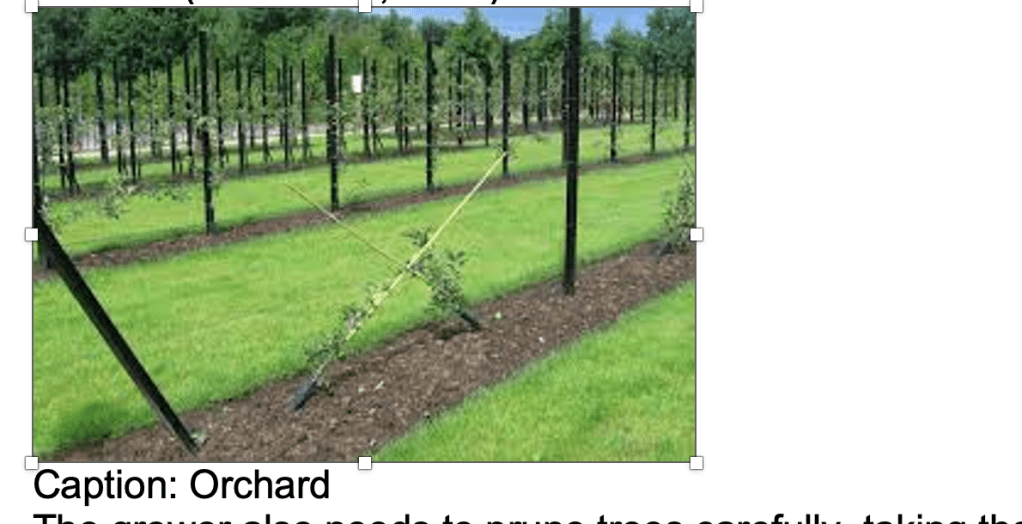
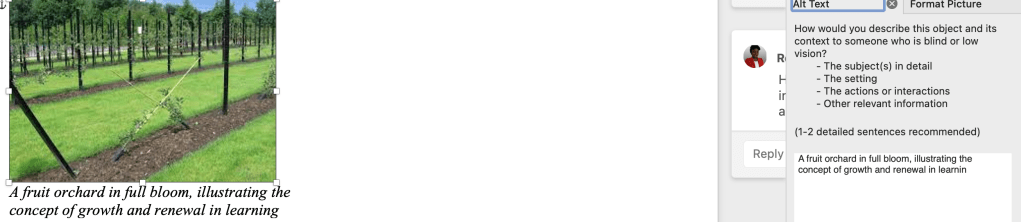
    Issue: The image caption only said “Orchard,” providing no context.
    Fix: I replaced it with descriptive alt text: “A fruit orchard in full bloom, illustrating the concept of growth and renewal in learning.”

    3. Decorative Image Misuse

    Issue: A decorative image still contained alt text, creating unnecessary audio clutter for screen readers.
    Fix: I set the alt attribute to blank (alt="") so screen readers skip it.

    4. Low Contrast in Red Heading Text

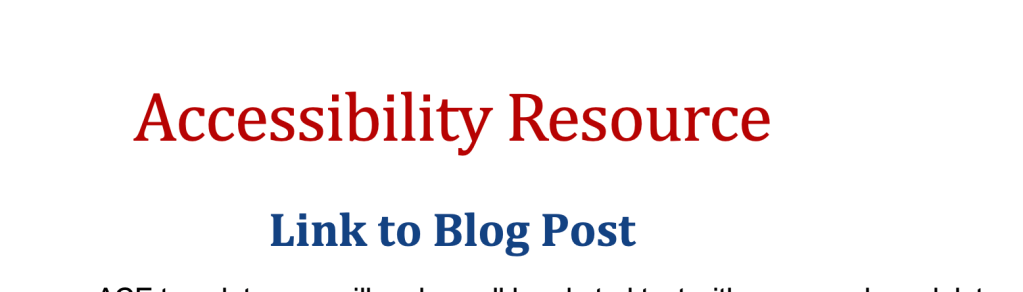
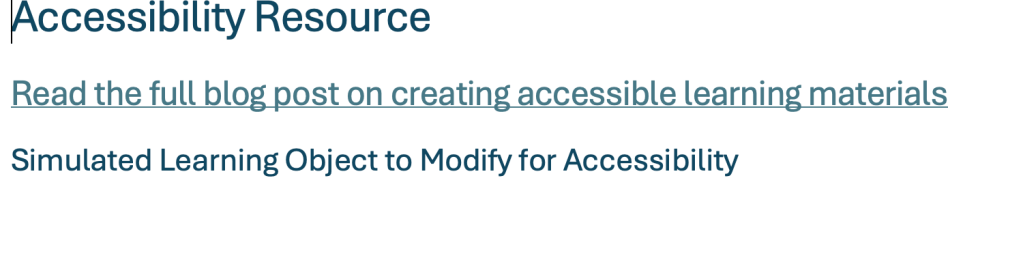
    Issue: The main heading “Accessibility Resource” appeared in red, with a contrast ratio below 4.5:1, making it difficult to read.
    Fix: Replaced red text with a high-contrast color (dark navy) and applied a proper Heading 1 style to maintain visual hierarchy.

    5. Non-Descriptive Link Text

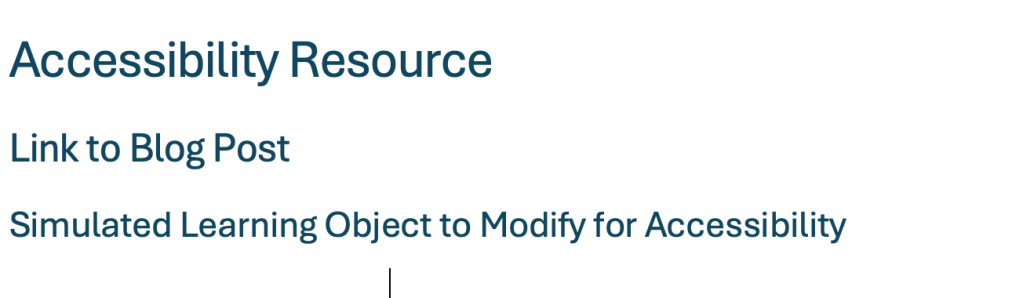
    Issue: The hyperlink labeled “Link to Blog Post” did not communicate its purpose or destination.
    Fix: Rewrote the link text as “Read the full blog post on creating accessible learning materials” to ensure clarity and usability for screen readers.

    Lack of Captions or Transcripts for Multimedia
    If an audio or video explanation were added to accompany the learning object (as often happens in online instruction), it lacked closed captions or an accompanying transcript. This would make the content inaccessible to learners who are deaf or hard of hearing.
    Replacement: I would create a text transcript summarizing the spoken information and recommend using tools like YouTube Auto-Captioning or Otter.ai to generate accurate captions for any video or audio files. This would ensure that all learners can access auditory content in written form.

    Highlighted Accessibility Changes and Process

    ElementIssueAction TakenResult
    HeadingsInconsistent hierarchyApplied Word’s H1–H3 structureImproved screen reader navigation
    Image 1Caption “Orchard” lacked detailAdded descriptive alt textEnhanced meaning for visually impaired users
    Image 2Decorative but had alt textSet alt=""Reduced redundant narration
    Text ColorRed text too low contrastChanged to dark blueImproved visibility
    HyperlinkLabeled “Link to Blog Post”Rewrote to be descriptiveClearer for screen reader users
    MultimediaLack of MultimediaProposal for multimediamultimedia would create a more inclusive simulated learning object

    References

    Huss, J. A. (2022). A high school website is a school community’s communication center… but is it ADA compliant? School Community Journal, 32(1), 245–263.

    King, C., & Piotrowski, C. (2021). Navigating the ADA accessibility requirements and legal pitfalls in online education. College Student Journal, 55(2), 127–134.

    Rybin Koob, A., Ibacache Oliva, K. S., Williamson, M., Lamont-Manfre, M., Hugen, A., & Dickerson, A. (2022). Tech tools in pandemic-transformed information literacy instruction: Pushing for digital accessibility. Information Technology & Libraries, 41(4), 1–32. https://doi.org/10.6017/ital.v41i4.15383

  • Building the Future of Learning: A Flexible Computer Lab for Adult & Higher-Education Learners

    by Readonna Howell-Rogers

    The Critical Need for Adult Learning Technology Spaces

    Adult learners represent a rapidly growing demographic in higher education, bringing unique challenges and opportunities that traditional computer labs often fail to address. Unlike traditional students, adult learners require flexible, purpose-driven technology spaces that accommodate varying schedules, diverse learning styles, and real-world application needs. Research by Knowle et al., (2015) emphasizes that adult learners thrive in environments that blend access, collaboration, and individualized learning opportunities.

    Why This Lab Matters

    Technology and education are ever-evolving partners. Adult and higher-education learners require more than just access to a computer; they need a flexible, inclusive, and innovative environment that accommodates diverse learning styles.

    Expand Modern Computing Access

    Provide adult and higher-education learners with reliable access to current hardware and software essential for academic success and professional development. This includes high-performance computers, industry-standard software, and specialized applications that bridge the digital divide.

    Create Flexible Learning Environments

    Design adaptable spaces that accommodate independent study, collaborative research projects, and group presentations. The lab’s modular design supports various learning configurations while maintaining technology accessibility for all users.

    Deliver Comprehensive Digital Literacy

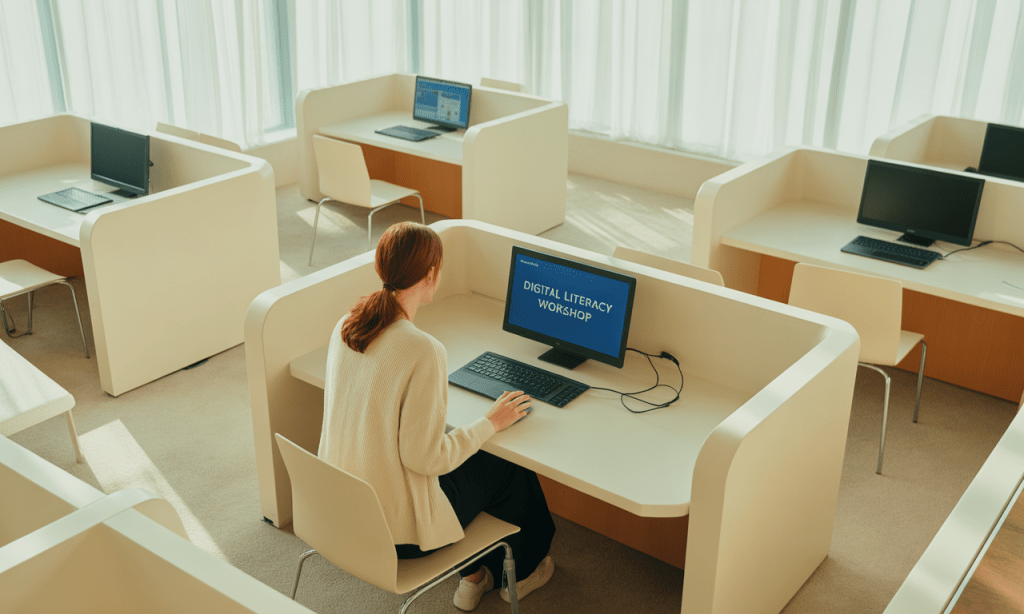
    Offer structured workshops covering essential digital skills, research methodologies, and professional software applications. Programming will address both foundational computer literacy and advanced technical competencies required in today’s workforce.

    Ensure Universal Design Compliance

    Implement inclusive technology solutions that accommodate learners with diverse abilities and learning preferences. Following CAST (2018) Universal Design for Learning guidelines, the lab will provide multiple means of engagement, representation, and expression.

    The Library Commons Computer Lab is designed to be:

    A hub for digital literacy
    A collaborative space for research and innovation
    An accessible learning center for all learners

    Key Features

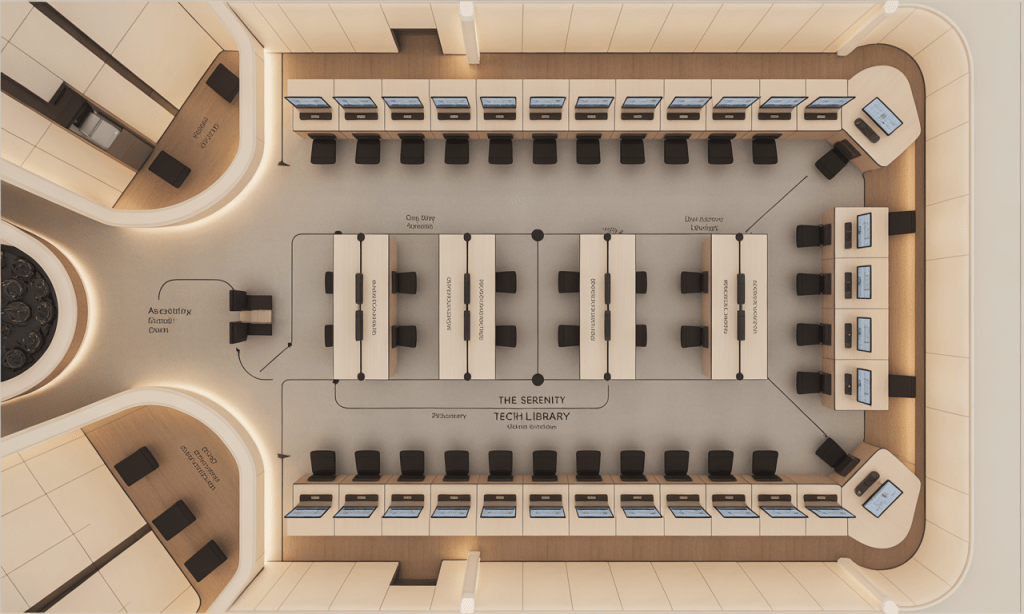
    1. Flexible Workstations

    • Convertible desk layouts for both individual and group learning
    • Ergonomic seating designed for comfort and productivity

    2. Cutting-Edge Technology

    • 30 high-performance computers with the latest software
    • Device charging hubs for laptops, tablets, and smartphones

    3. Accessibility First

    • Adaptive keyboards and screen readers
    • Adjustable tables and quiet zones for sensory needs

    4. Collaborative Spaces

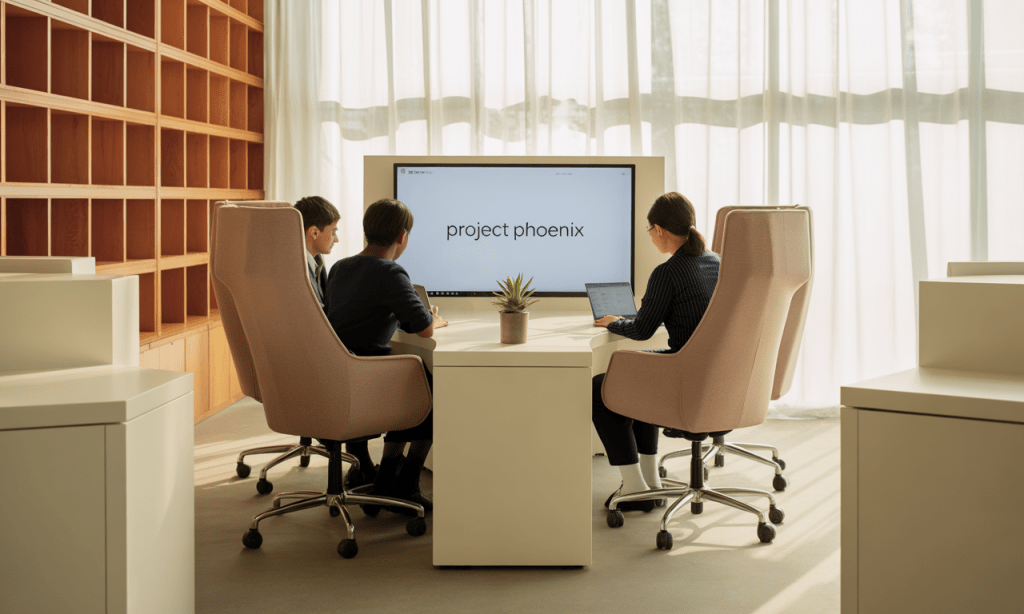
    • Small-group meeting pods with video-conferencing
    • Open study areas for workshops and peer projects

    Impact on Learners

    This lab is more than a room full of computers; it’s a space that transforms lives.

    • Adult learners build essential digital skills for work and continuing education
    • College students gain access to professional-grade tools for academic success
    • Community members bridge the digital divide, advancing equity and opportunity

    Transformative Impact & Future Vision

    The Library Commons Computer Lab represents more than a technology upgrade, it embodies a commitment to educational equity and lifelong learning that will transform how institutions serves adult and higher-education learners. In strategically investing in flexible, inclusive technology infrastructure, we create opportunities for academic success and professional advancement that extend far beyond our campus boundaries.

    Bridging the Digital Divide

    Providing equitable access to modern technology and comprehensive digital literacy training for learners who might otherwise lack these essential resources.

    Enhancing Academic Success

    Supporting improved learning outcomes through technology-enhanced research capabilities, collaborative tools, and flexible study environments.

    Building Workforce Readiness

    Developing practical digital skills and professional competencies that directly translate to career advancement and economic opportunity.

    The lab’s alignment with evidence-based adult learning principles ensures sustainable impact. In following Universal Design for Learning guidelines and incorporating flexible programming options, we create an inclusive environment that adapts to diverse learner needs while maintaining high standards of educational excellence.

    Long-term sustainability depends on continuous assessment and adaptation. The lab’s modular design and robust professional development components ensure that our investment will continue delivering value as technology and educational needs evolve. Through this initiative, we demonstrate our commitment to lifelong learning and community empowerment through strategic technology integration.

    • Sustainable for future expansion
    • Adaptable to emerging technologies
    • Designed to serve diverse learners for years to come

    In investing in this lab, we are empowering learners, strengthening communities, and preparing for the digital future.

    Imagine walking into this lab, students collaborating, adults mastering digital tools, and communities connecting like never before.

    Do you believe every learner deserves access to flexible, future-ready spaces? Share this post, spark the conversation, and join us in supporting innovation in education.

    References

    Knowles, M. S., Holton, E. F., & Swanson, R. A. (2015). The adult learner: The definitive classic in adult education and human resource development (8th ed.). Routledge.

    CAST. (2018). Universal design for learning guidelines version 2.2. CASThttp://udlguidelines.cast.org